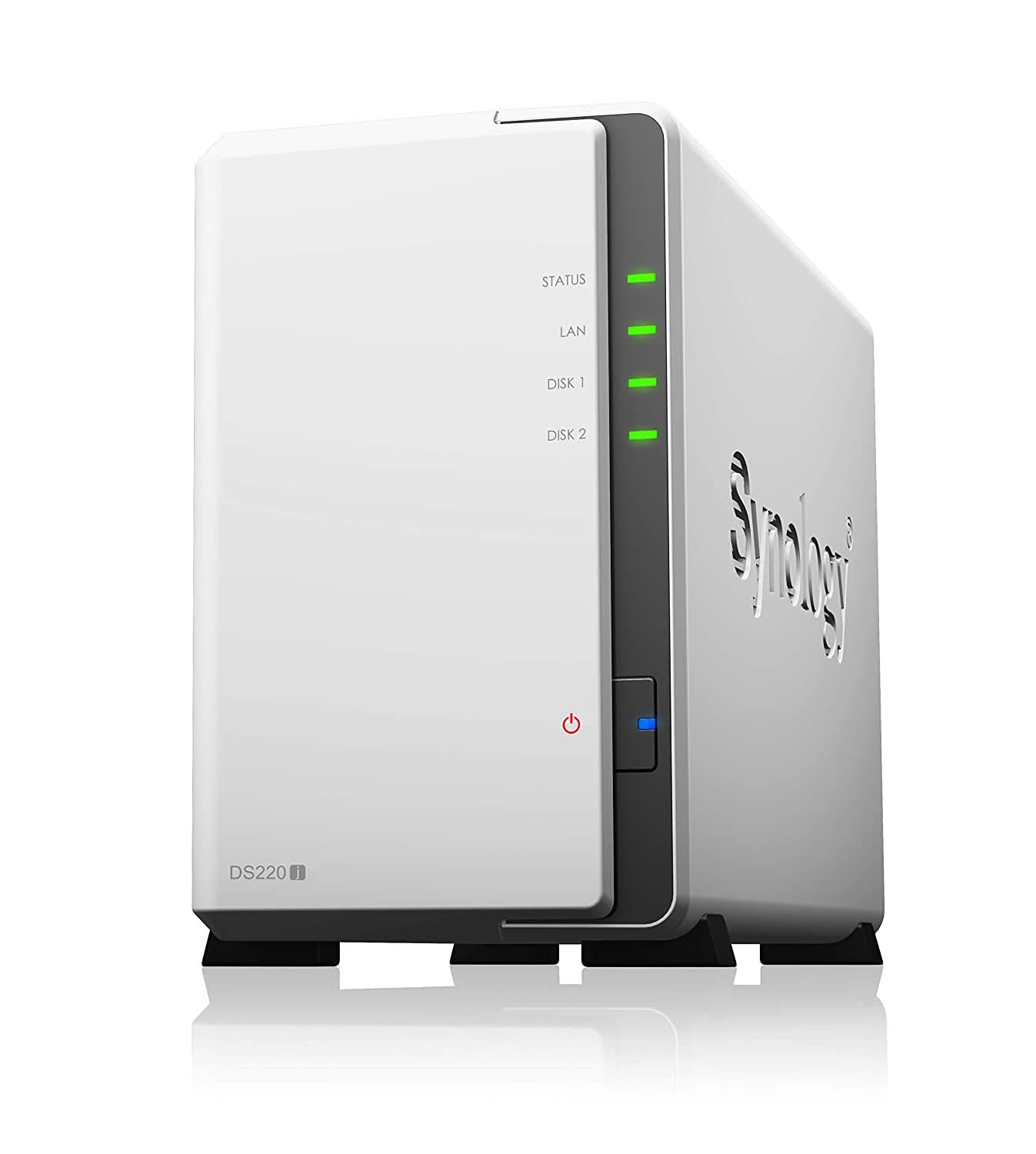
| Hardware Specs | |
| CPU | |
| CPU Model | Realtek RTD1296 |
| CPU Quantity | 1 |
| CPU Architecture | 64-bit |
| CPU Frequency | 4-core 1.4 GHz |
| Hardware Encryption Engine | Yes |
| Memory | |
| System Memory | 512 MB DDR4 non-ECC |
| Storage | |
| Drive Bays | 2 |
| Compatible Drive Type* (See all supported drives) | 3.5" SATA HDD |
| 2.5" SATA HDD (with optional 2.5" Disk Holder) |
| 2.5" SATA SSD (with optional 2.5" Disk Holder) |
| Hot Swappable Drive | - |
| Notes | Compatible drive type indicates drives that have been tested to be compatible with Synology products. This term does not indicate the maximum connection speed of each drive bay. |
| External Ports | |
| RJ-45 1GbE LAN Port | 1 |
| Max. number of LAN ports | 1 |
| USB 3.2 Gen 1 Port* | 2 |
| Notes | The USB 3.0 standard was renamed to USB 3.2 Gen 1 by the USB Implementers Forum (USB-IF) in 2019. |
| File System | |
| Internal Drives | EXT4 |
| External Drives | EXT4 |
| EXT3 |
| FAT |
| NTFS |
| HFS+ |
| exFAT |
| Notes | exFAT Access can be installed for free from Package Center in DSM 7.0. In DSM 6.2 or earlier versions, exFAT Access needs to be purchased in Package Center. |
| Appearance | |
| Size (Height x Width x Depth) | 165 mm x 100 mm x 225.5 mm |
| Weight | 0.88 kg |
| Others | |
| System Fan | 92 mm x 92 mm x 1 pcs |
| Fan Speed Mode | Full-Speed Mode |
| Cool Mode |
| Quiet Mode |
| Low-power Mode |
| Brightness Adjustable Front LED Indicators | Yes |
| Power Recovery | Yes |
| Noise Level* | 18.2 dB(A) |
| Scheduled Power On / Off | Yes |
| Wake on LAN / WAN | Yes |
| Power Supply Unit / Adapter | 60 W |
| AC Input Power Voltage | 100V to 240V AC |
| Power Frequency | 50/60 Hz, Single Phase |
| Power Consumption* | 12.46 W (Access) |
| 5.06 W (HDD Hibernation) |
| British Thermal Unit | 45.52 BTU/hr (Access) |
| 17.27 BTU/hr (HDD Hibernation) |
| Notes | Power consumption is measured when it is fully loaded with Western Digital 1TB WD10EFRX hard drive(s). |
| Noise Level Testing Environment: Fully loaded with Seagate 2TB ST2000VN000 hard drive(s) in the idle state. Two G.R.A.S. Type 40AE microphones, each set up 1 meter away from the Synology NAS at the front and rear. Background noise: 16.49-17.51 dB(A); Temperature: 24.25-25.75?C; Humidity: 58.2-61.8% |
| Temperature | |
| Operating Temperature | 0∞C to 40∞C (32∞F to 104∞F) |
| Storage Temperature | -20∞C to 60∞C (-5∞F to 140∞F) |
| Relative Humidity | 5% to 95% RH |
| Certification | EAC |
| CCC |
| KC |
| FCC |
| CE |
| BSMI |
| VCCI |
| RCM |
| Warranty | 2 Years |
| Notes | The warranty period starts from the purchase date as stated on your purchase receipt. (Learn more) |
| Environment | RoHS Compliant |
| Packaging Content | Main Unit X 1 |
| Accessory Pack X 1 |
| AC Power Adapter X 1 |
| AC Power Cord X 1 |
| RJ-45 LAN Cable X 1 |
| Quick Installation Guide X 1 |
| Optional Accessories | Visual Station: VS360HD |
| Surveillance Device License Pack |
| Disk Holder: Type C |
| Software Specs | |
| DSM Specifications | |
| Storage Management | |
| Maximum Single Volume Size | 108 TB |
| Maximum Internal Volume Number | 64 |
| Supported RAID Type | Synology Hybrid RAID |
| Basic |
| JBOD |
| RAID 0 |
| RAID 1 |
| RAID Migration | Basic to RAID 1 |
| Volume Expansion with Larger HDDs | Synology Hybrid RAID |
| RAID 1 |
| Volume Expansion by Adding a HDD | Synology Hybrid RAID |
| Notes | Actual maximum storage pool and volume sizes depend on drive sizes used, the number of drive bays available, and the RAID configuration. |
| Usable capacity for each volume will be lower than the maximum volume size and is dependent on the filesystem and the amount of system metadata stored. |
| File Services | |
| File Protocol | SMB/AFP/NFS/FTP/WebDAV |
| Maximum Concurrent SMB/AFP/FTP Connections | 100 |
| Windows Access Control List (ACL) Integration | Yes |
| NFS Kerberos Authentication | Yes |
| Notes | The testing standard was based on the maximum number of concurrent connections supported by this model. During the testing, 25% of the connections were used to transfer files concurrently. The transfer process guaranteed that the connections were not interrupted; the minimum transfer speed was not guaranteed. |
| Account & Shared Folder | |
| Maximum Local User Accounts | 1,024 |
| Maximum Local Groups | 256 |
| Maximum Shared Folder | 256 |
| Maximum Shared Folder Sync Tasks | 2 |
| Log Center | |
| Syslog Events per Second | 200 |
| General Specifications | |
| Networking Protocols | SMB1 (CIFS), SMB2, SMB3, NFSv3, NFSv4, NFSv4.1, NFS Kerberized sessions, iSCSI, HTTP, HTTPs, FTP, SNMP, LDAP, CalDAV |
| Supported Browsers | Google Chrome |
| Firefox |
| Microsoft Edge |
| Safari |
| Supported Language | English, Deutsch, FranÃais, Italiano, EspaÃ’ol, Dansk, Norsk, Svenska, Nederlands, ???????, Polski, Magyar, PortuguÃs do Brasil, PortuguÃs Europeu, T¸rkÃe, ?eskË, ???????, ???, ???, ????, ???? |
| Notes | For an updated list of supported browser versions, check the DSM Technical Specifications. |
| Synology Chat | |
| Maximum Users | 10 |
| Notes | When applicable, systems are tested configured with maximum memory and set to allow the maximum number of connections. |
| Download Station | |
| Maximum Concurrent Download Tasks | 50 |
| SAN Manager | |
| Maximum iSCSI Target Number | 10 |
| Maximum LUN | 10 |
| Notes | iSCSI Manager has been renamed to SAN Manager in DSM 7.0. |
| Media Server | |
| DLNA Compliance | Yes |
| Synology Photos | |
| Facial Recognition | Yes |
| Notes | Photo Station and Synology Moments are succeeded by Synology Photos in DSM 7.0. For a features comparison, check this article. |
| Surveillance Station | |
| Maximum IP cam (Licenses required) | 12 (including 2 Free License) (see all supported IP cameras) |
| Total FPS (H.264) | 360 FPS @ 720p (1280x720) |
| 110 FPS @ 1080p (1920x1080) |
| 70 FPS @ 3M (2048x1536) |
| 40 FPS @ 5M (2591x1944) |
| 30 FPS @ 4K (3840x2160) |
| Total FPS (H.265) | 360 FPS @ 720p (1280x720) |
| 240 FPS @ 1080p (1920x1080) |
| 110 FPS @ 3M (2048x1536) |
| 70 FPS @ 5M (2591x1944) |
| 40 FPS @ 4K (3840x2160) |
| Total FPS (MJPEG) | 80 FPS @ 720p (1280x720) |
| 50 FPS @ 1080p (1920x1080) |
| 40 FPS @ 3M (2048x1536) |
| 20 FPS @ 5M (2591x1944) |
| Notes | Maximum IP cameras and FPS figures are tested with the device fully populated with drives and under a continuous recording setup. |
| Actual system capabilities may differ depending on system configuration, drive performance, number of features enabled, and if additional workloads are present. |
| Synology Drive | |
| Recommended Number of Concurrent Sync Clients | 200 (the number of connections that can be maintained when the recommended number of hosted files was reached) |
| Recommended Number of Hosted Files | 500,000 (applies to files indexed or hosted by Synology Drive. For file access through other standard protocols, refer to the File Services section above) |
| Notes | Exceeding the recommended numbers above will not block application operations, but may result in longer response time. |
| EXT4 file system and non-encrypted shared folders were used during the aforementioned testing. |
| Synology Office | |
| Maximum Users | 200 |
| Notes | Multiple files were opened for testing and each file was edited by 30 users simultaneously. |
| Client performance may affect maximum simultaneous editing users. Client PCs used for testing: Intel Core i3-3220 / 8GB RAM |
| Video Station | |
| Video Transcoding | Group 2 |
| VPN Server | |
| Maximum Connections | 10 |